iPhone Photo Organizer

The Fastest Album Organizer for iPhone

Organize your photos faster with a swipe-first workflow. Album Hop helps you move pictures into the right albums, use your existing album setup, and clean up your iPhone photo library in less time.

Swipe to organize faster Works with your existing albums Made for iPhone photo libraries
4 core flows Built around speed, clarity, and everyday photo organization.
Existing albums Use the album structure you already created on your device.
Faster sorting Great for receipts, pets, travel, manuals, wishlists, and more.
Album Hop app screenshot showing swipe-based photo organization on iPhone

Organize Faster, Tap Less

Album Hop makes album organization feel lighter, faster, and more visual. It is built for people who actually use albums to manage their photos.

Organize Photos With a Swipe feature screenshot from Album Hop
Feature 01

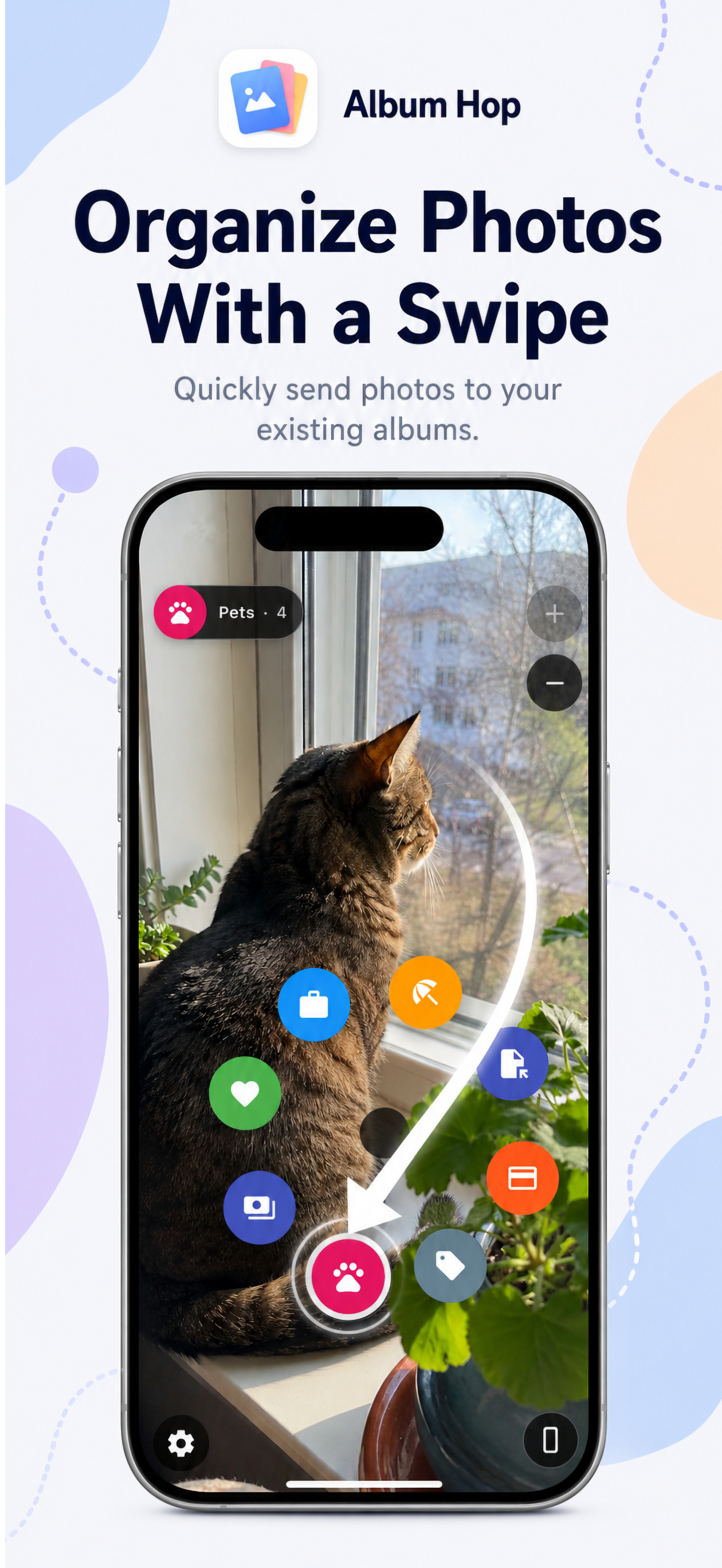
Organize Photos With a Swipe

Stop digging through repetitive menus. With Album Hop, you can quickly send photos to your chosen albums with a swipe-based workflow designed to reduce friction and speed up sorting.

  • Quickly send photos to the right destination album
  • Designed for faster one-handed organization
  • Ideal for cleaning up growing photo libraries
Use Your Existing Albums feature screenshot from Album Hop
Feature 02

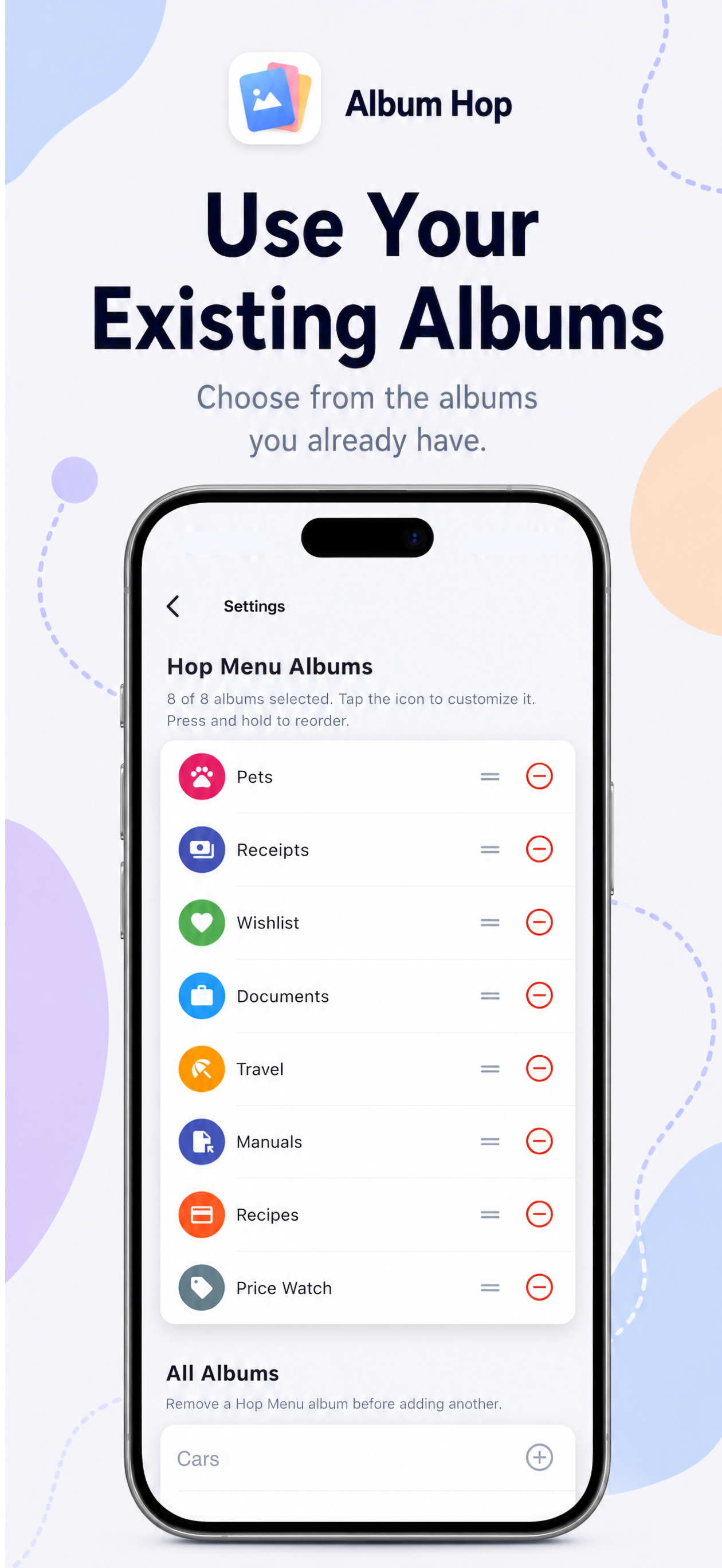
Use Your Existing Albums

No need to rebuild your system from scratch. Album Hop works around the albums you already use, helping you keep your current structure while making organization dramatically faster.

  • Choose from albums you already created
  • Keep your personal organization style intact
  • Perfect for real-world album workflows
See Album Membership Instantly feature screenshot from Album Hop
Feature 03

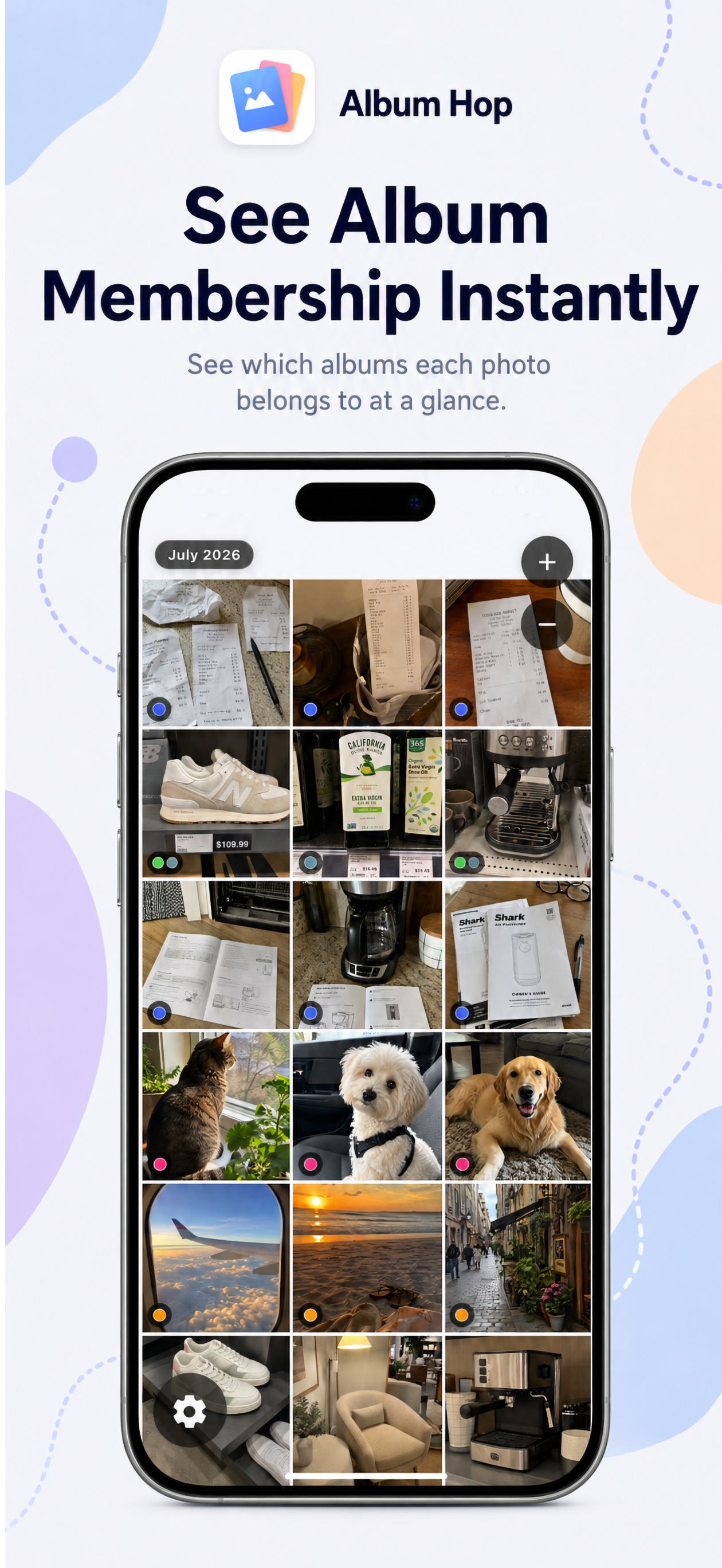
See Album Membership Instantly

See which albums a photo belongs to at a glance. That means less guesswork, better visibility, and a smoother way to manage photos that belong in multiple collections.

  • Instant visual context while browsing photos
  • Easier multi-album organization
  • Helpful when sorting large mixed libraries
Categorize Your Library Faster feature screenshot from Album Hop
Feature 04

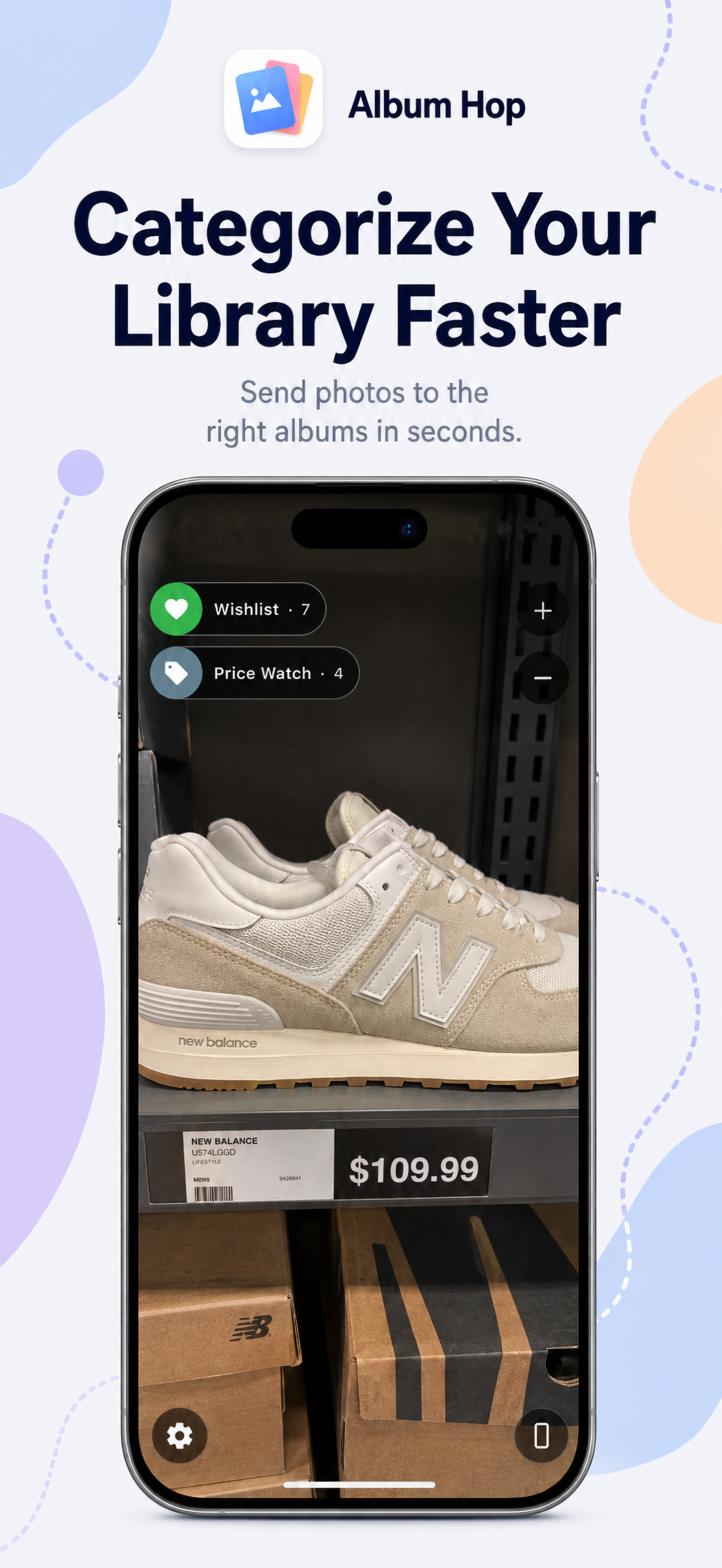
Categorize Your Library Faster

From receipts and documents to pets, travel, recipes, manuals, and wishlists, Album Hop helps you sort visual clutter into useful albums in seconds.

  • Great for practical everyday albums
  • Useful for both personal and utility photo collections
  • Built to keep your library more organized over time

Why People Use Album Hop

Album Hop is for anyone who wants a faster way to organize iPhone photos into meaningful, reusable albums.

Save Time Every Week

Spend less time tapping through photo menus and more time actually organizing your library with a workflow built for speed.

Works With Real Albums

Whether you keep albums for receipts, pets, travel, or shopping, Album Hop supports the structure you already rely on.

Made for iPhone

The experience is focused, mobile-first, and designed specifically for organizing photos on iPhone in a more intuitive way.

Frequently Asked Questions

Helpful answers for people looking for a faster iPhone photo album organizer.

What is Album Hop?

Album Hop is an iPhone app that helps you organize photos into albums faster using a swipe-first approach. It is designed to reduce repetitive tapping and make photo sorting more efficient.

Does Album Hop use my existing albums?

Yes. One of the core ideas behind Album Hop is helping you organize photos using the albums you already created, so your current system stays useful.

What kinds of photos is Album Hop useful for?

Album Hop is especially useful for organizing practical photo collections such as receipts, documents, manuals, recipes, pets, travel shots, wishlists, and price-watch items.

Where can I download Album Hop?

You can download Album Hop from the App Store using the download button on this page.

Ready to Organize Your Photos Faster?

Try Album Hop and bring more speed to your iPhone photo organization workflow. If you use albums regularly, this is the faster way to keep your library under control.